
Free from the follow-up.
Refer a client in one form. Follow every step from your phone, and answer "any update?" with confidence.
ASCOLAW is open to working with real estate agents.
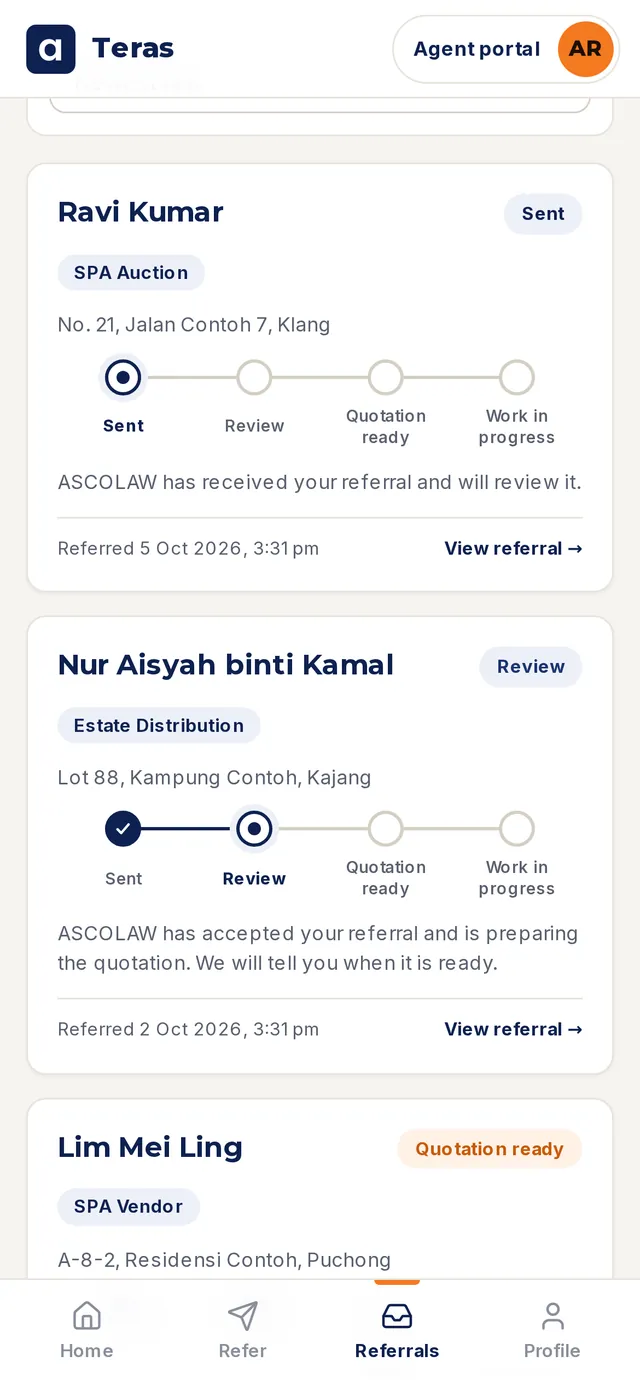 Sample data
You know these messages.
Clients ask you, not the lawyer. If you don't know, you call, wait, and call again. Teras puts the answer on your phone.
Refer once. Follow every step.
Tick.Add your client's name and tick what they need. Attach documents if you have them. You don't pick the service. ASCOLAW does.
Follow.Every referral has four steps: Sent, Review, Quotation ready, Work in progress. You get a notice when a shared step is done.
Share.When the quotation is ready, open it and share it with your client while the deal is still warm.
- Sent
- Review
- Quotation ready
- Work in progress
See exactly what you'll see.
Sample data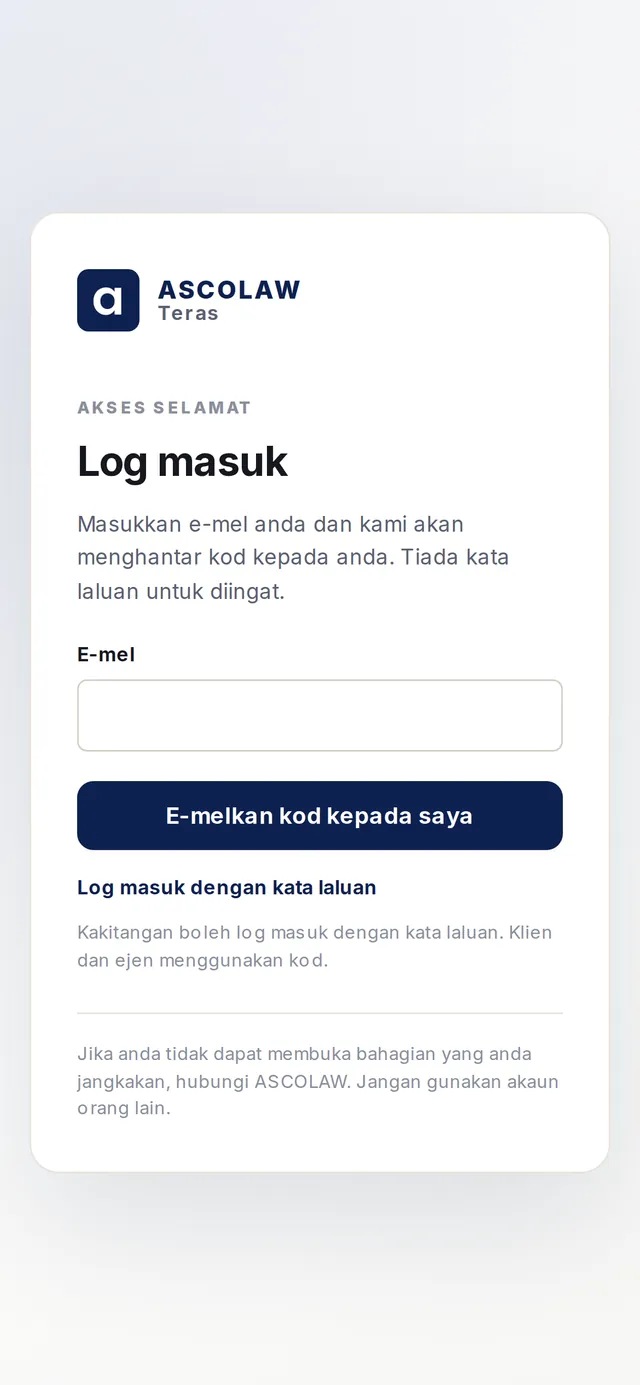 BM
BMSign in with a code.No password. A code arrives by email.
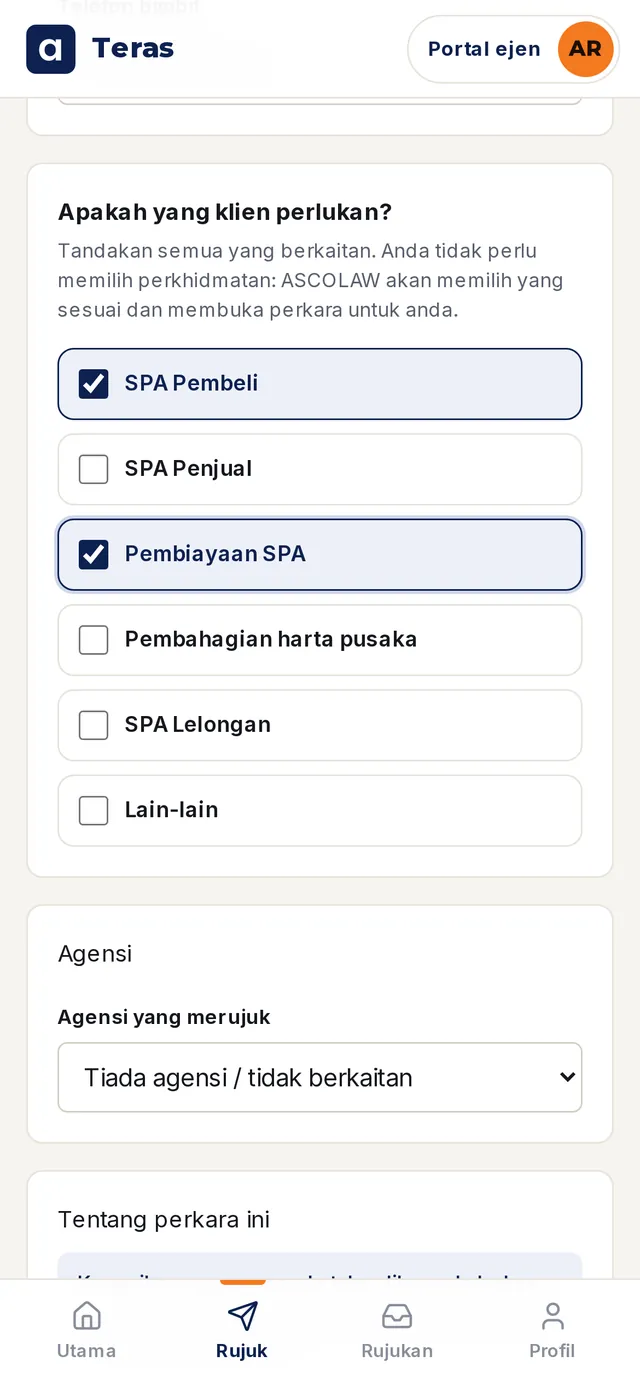 BM
BMRefer a client.One form.
My Referrals.The answer to "any update?" at a glance.
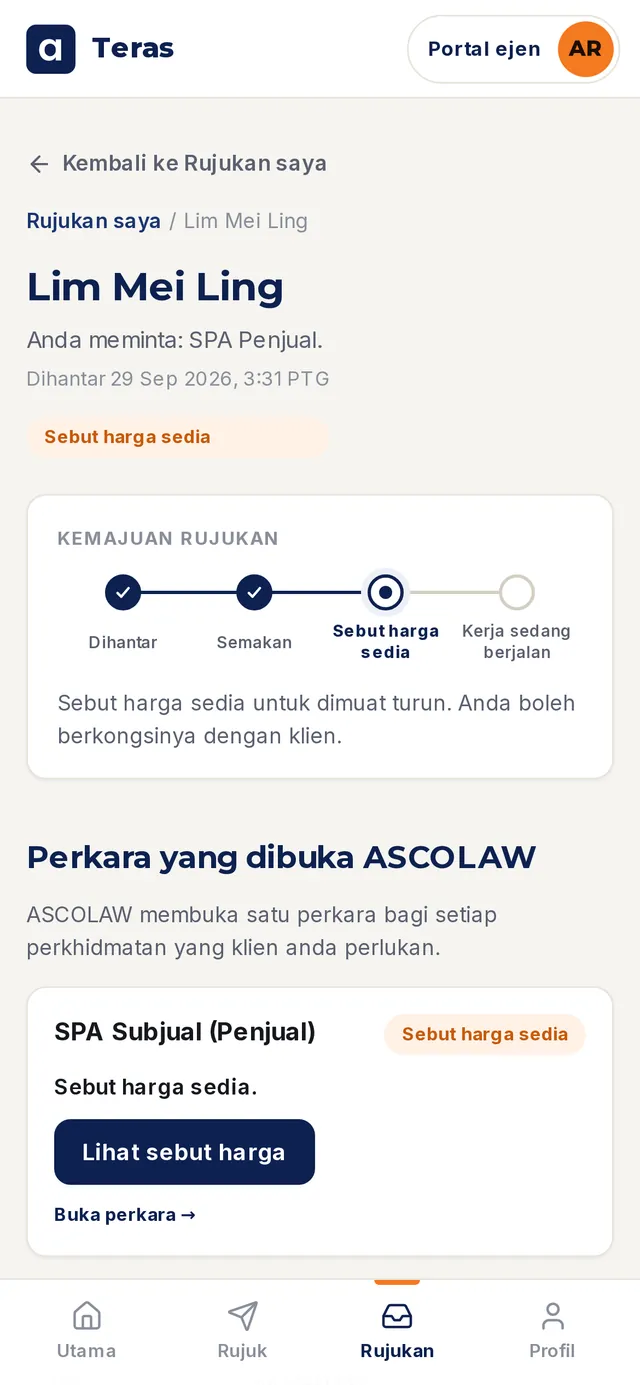 BM
BMQuotation ready.Open it and share it with your client.
 BM
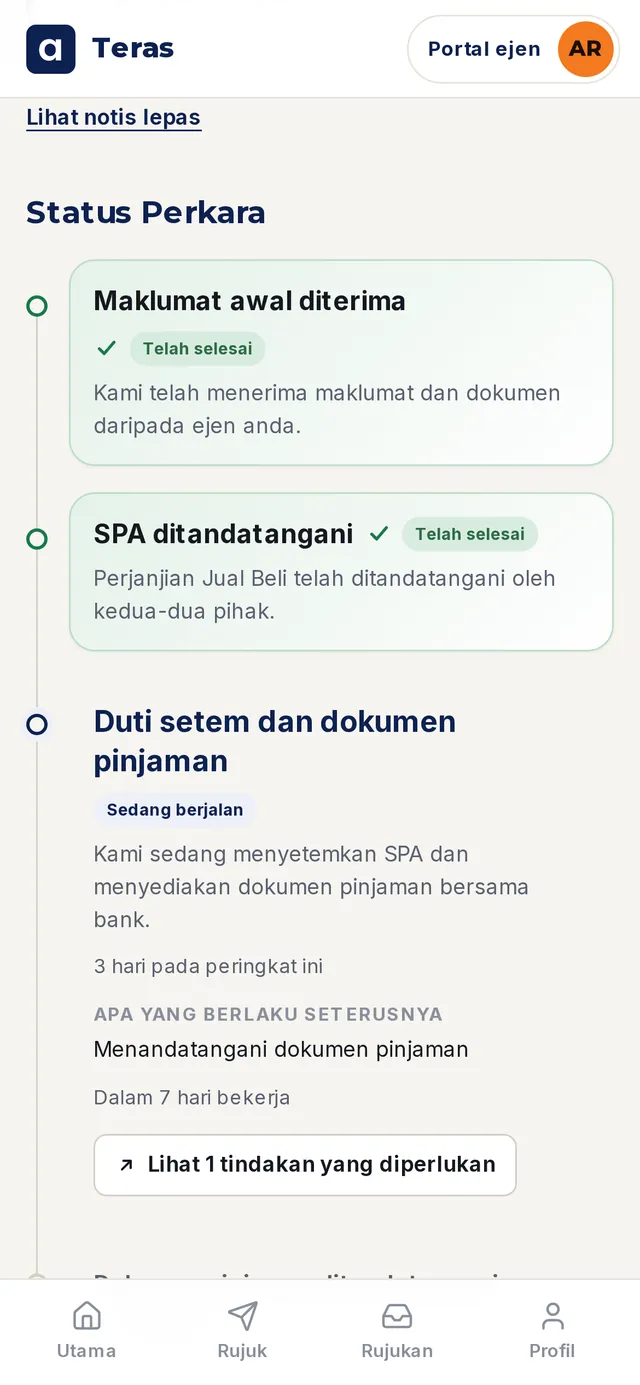
BMThe Matter page.Steps, notices, tasks and documents shared with you.
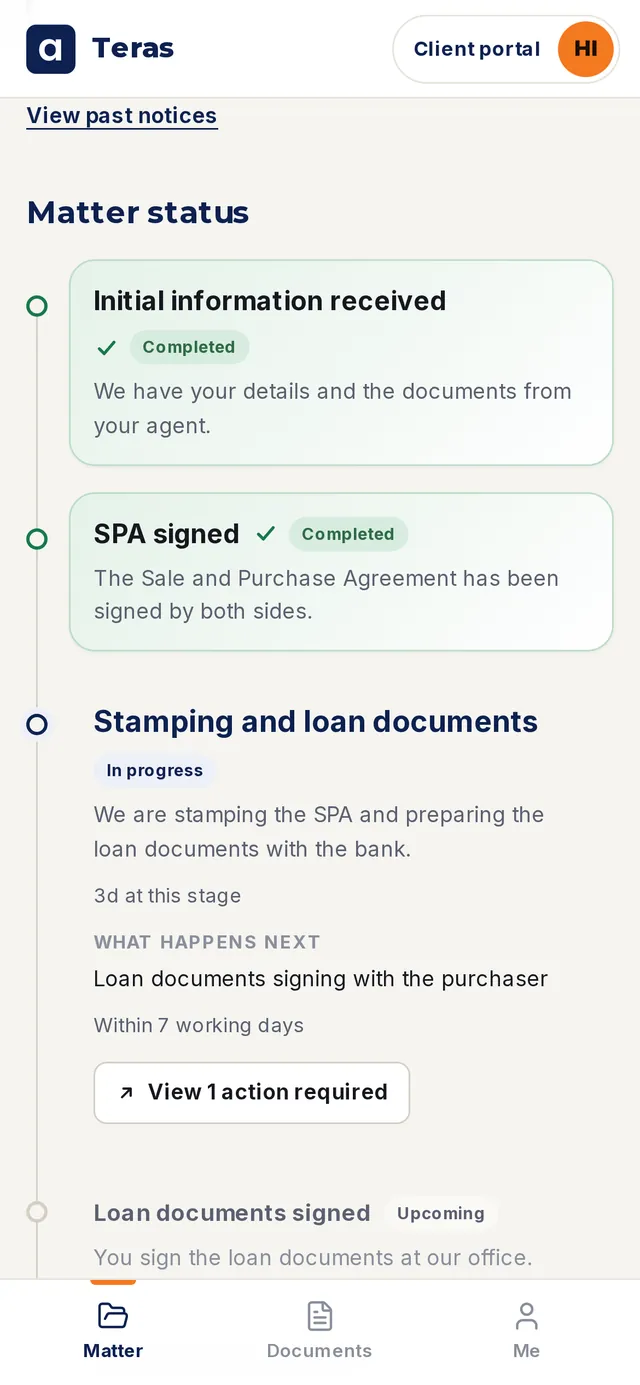
Your client's view.Your client sees their steps, in BM or English.
How Teras helps you
Teras is built for agents. Here is what changes for you.
No more chasing.Open your phone and see every step. No calls or WhatsApp to ask.
Answer clients with confidence.When a client asks "any update?", you already have the answer. Any time.
Look professional.Your client sees their own steps and gets notices, in BM or English. You look organised.
Share the quotation when it is ready.Open the quotation and share it with your client while the deal is still warm.
More time for new clients.Less time chasing updates. More time meeting and selling.
Your name on the file.Teras records you as the Referring Agent on every referral.

Try it with your next client.
We are open to working with real estate agents. Fill this in, and we'll confirm your details and send your Teras invitation by email.
What happens next
- We WhatsApp or call to confirm.
- You get your Teras invitation email.
- Refer your first client.
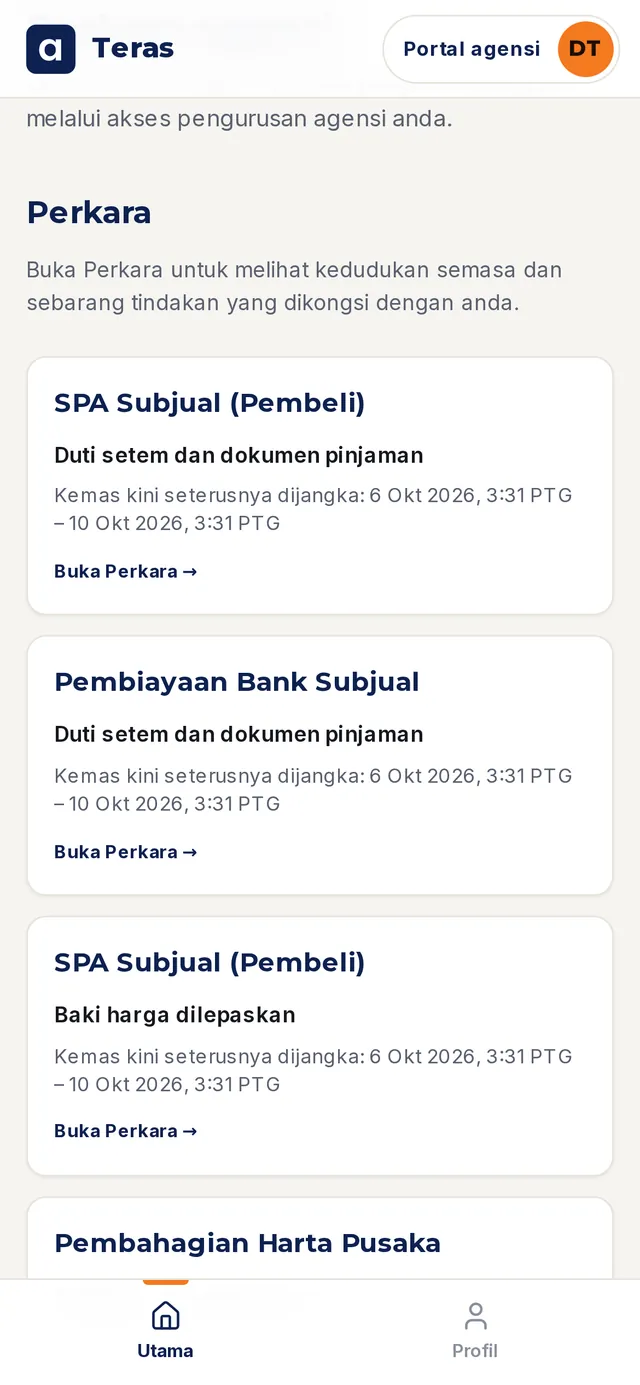
Your team's shared matters, in one place.
The Agency view shows the matters shared with your agency, and where each one stands. We can also come to your office for a team session: 30 minutes on a useful legal topic, then 15 minutes of Teras demo.
- From SPA to keys: who does what
- Selling an inherited property: what to check first
- Buying at auction: questions before you bid
- What commonly holds up a loan release
 Sample data · BM
Frequently asked questions
Is there a cost for agents?
No. Teras access is free for agents.
Is ASCOLAW open to working with agents?
Yes. We are open to working with real estate agents and agencies. Request access, and we will confirm your details and contact you.
Does my client have to use ASCOLAW?
No. Your client gets a quotation and decides.
What can I see?
The steps, notices, tasks and documents ASCOLAW shares with you. Some things stay between the lawyer and the client.
What can I refer?
SPA Purchaser, SPA Vendor, SPA Financing, Estate Distribution, SPA Auction and others.
Do I need to download an app?
No. Teras opens in your phone or computer browser. You sign in with a code sent to your email.
What about my client's data?
Get your client's permission before you refer. ASCOLAW handles data under our Privacy Notice.
Can my whole team join?
Yes. Principals can book a team session and we invite each agent.